How to make out the main sections of the site



 Views:
4518
Views:
4518
 Solomono
Let's start with the "News" section. This section is more focused on regular customers who regularly monitor the novelties of the online store. To promote the search, the "News" section is a good indicator of the success and relevance of the site.
Rules for writing news for the site
So, the ideas for filling the section "News":
1. New Goods Receipt
2. Beginning of the sale, promotion, bonus program
3. Anniversary of the company
4. Exhibitions, conferences, events in which the company participates
5. Opening of an offline store, a new branch office
6. New service, bonuses, for example: "When ordering from 50$ - shipping is free"
7. Obtaining awards, certificates
The rules of writing news for the site:
- the volume of the news article - about 1000 or more characters;
- in the article, make a link to the page, the section, product in question;
- load high-quality beautiful photos. Good if they will be unique, but you can take those, which are represented on the photobanks.
On a photo the example of news in tea store
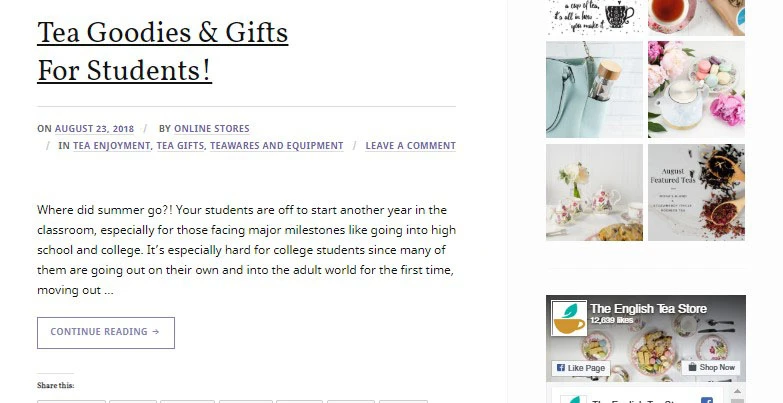
Do you think that this section is not the most important on the site? The "News" section, which is updated regularly, can increase the conversion and bring a significant inflow of traffic, increase the loyalty of search engines and customers.
Create an FAQ
What is the FAQ section? This is a block with frequently asked questions of clients and answers of the company. Here you can list one more time in thesis the most important aspects: the conditions of the order, delivery, return, exchange of goods, size, delivery time, etc.
Rules for creating FAQs
1. Do not write too long questions and long answers, it's tiresome. Everything should be brief and on the case. Paragraphs divide into sentences, by 2-3, so they are easier to read.
2. If it seems to you that you have missed something, look to your competitors and see the most popular customer requests.
3. The FAQ section frees you and your sales managers from unnecessary questions (although this is not a fact, but it reduces the frequency of "empty" calls, that's for sure).
4. Make short and understandable headings, select them.
5. The FAQ section is the same content as the whole site, which means that the rules for it are the same: if the answer to the question contains several points, make them a bulleted or numbered list.
6. If the answer to the question contains a lot of information, give a short answer and insert a link to the section, page, article from the blog, which give an exhaustive answer.
7. If the functionality of the site allows, you can make a short summary, and when user click on a question, he turns out to the desired part of the page.
8. If you have any videos that can answer the question - feel free to download them as a answer. Practice shows that modern users prefer watching videos rather than reading text.
9. To strengthen the answer, you can attach screenshots or photos.
10. In this section there should always be only up-to-date information, watch to this
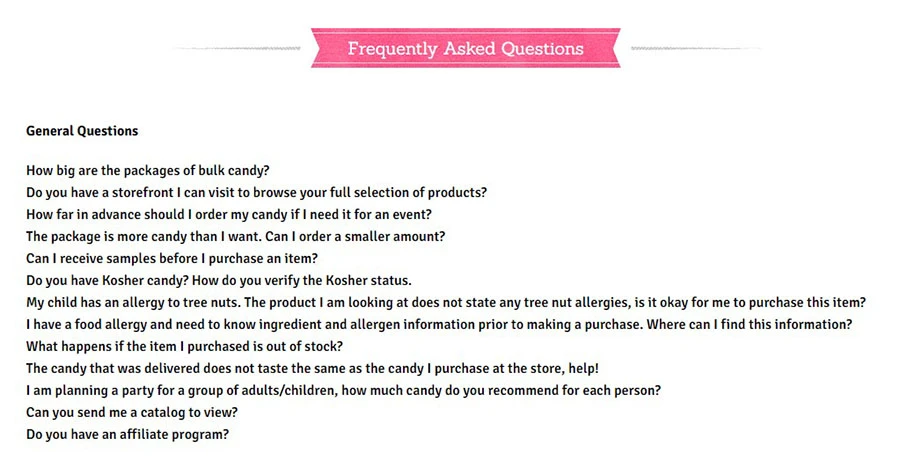
How to decorate the section "Contacts"
When registering the "Contacts" section, consider the items that must be indicated:
1. Phones, e-mail (phones are desirable for several operators)
2. Messengers (viber, whatsapp, telegram, skype, etc.)
3. Addresses of offline stores (if any)
4. Company requisites
5. A map with the address of an offline store or office.
6. Feedback Form
7. Link to social networks
8. Work schedule
9. Links to other resources that may be of interest to the client
You can ask your developer to nicely arrange the contacts section. Here you can show creativity.
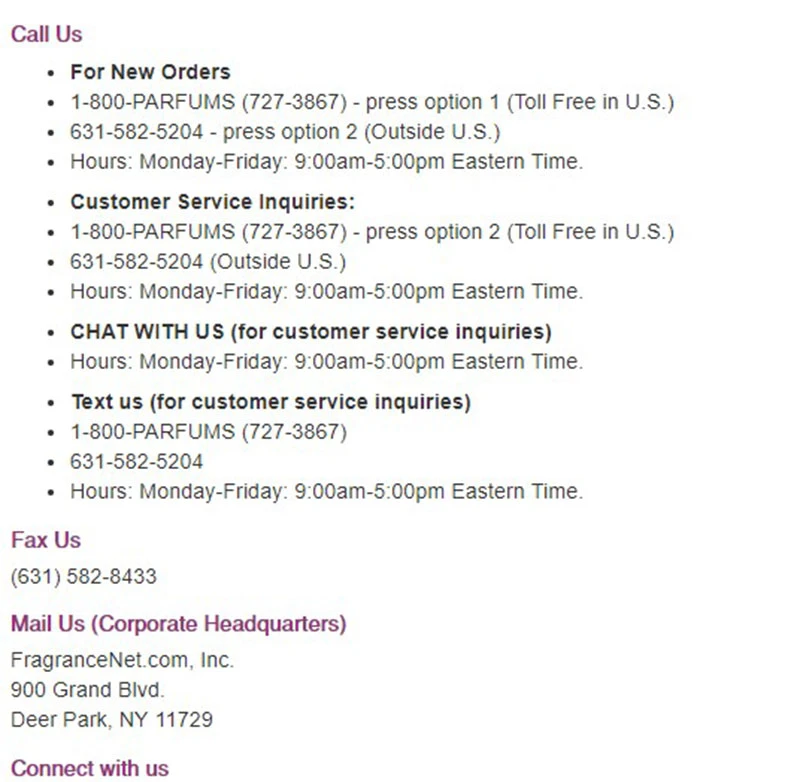
You can also provide contact information for the departments:
• on cooperation issues;
• on issues of wholesale sales;
• on advertising, etc.
The latter is in addition to the FAQ section and directs your users to the desired department. This will increase loyalty, since no one wants to wait until you switch the client to the appropriate department.
In the photo, an example of how to beautifully design the "Contacts" section
How to correctly draw up the section "Guarantees", "Return of goods"
This section is usually combined into one. In the "Guarantees" block you can write how many days there is a guarantee for this or that product.
In the section "Return of goods" you need to describe in detail, under what conditions a return can be made. How to make the "Return goods" section correctly:
1. Under what conditions is it possible to return the item: the size did not fit, in reality the product differs from that in the photo, the wrong color, other equipment or model, detect, etc.
2. What goods are not refundable.
3. How long does it take to return the item after receipt, usually it takes 30 days
4. Specify what should be saved when returning: a check or order information, payment information, a commodity waybill, label, marketable condition etc.
5. Ask for your details and order number
6. Indicate in which cases the delivery is refunded by the store
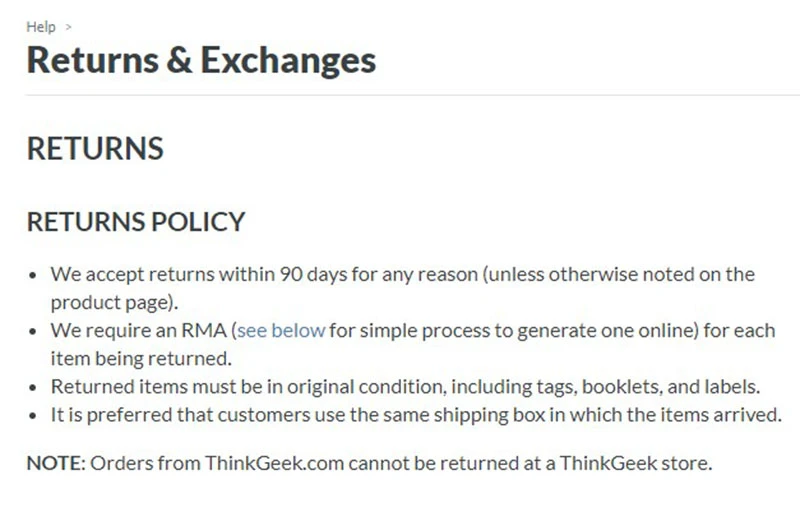
The "Guarantees" / "Return of goods" section is necessary in order for customers to trust you, this will increase the conversion. Also such sections are likes of search engines, as they are user-oriented, on his trust in you.
In this article we have considered the rules of writing news on the site and the FAQ section.
Tald you how to beautifully design the "Contacts" section and how to properly format the "Guarantees" section. We hope the article was useful and you will successfully apply the advice in practice.
Read also how to make out the main page, the text "About Us" and fill out the product card in our article "Content for the online store".

Leave your review